
Wrong data
For three weeks the tracking reported wrong revenue values to Google Ads. Reports, ROAS and comparisons for that period stay distorted for good.
22 daysof wrong purchase values in Google Ads
With monitoring: caught on the next scan
AI tracking monitoring · GDPR-compliant · Made in Germany
With AI analysis
Tracking failures are silent: no error message, no broken page — just numbers quietly turning wrong. Our AI visits your website like a real user, checks every channel individually and explains in plain words what is broken and how to fix it. You hear about it before you allocate budget based on wrong data.
Tracking projects for, among others









Up and running in minutes — no developer involved.
You enter your domain and your GTM container. If you use server-side tagging, add the server container too. That is all — nothing gets installed on your website and no code is added.
Weekly, daily or up to every 6 hours — depending on your package and how often your site is deployed. The monitor visits your site like a genuine first-time visitor, accepts the consent banner and records what actually goes out.
After each scan you get the current state: health score, new findings, cause and fix. When a new critical finding appears, the monitor reaches out to you.
The honest comparison: what happens today when a tag fails — and what happens with monitoring?
| Situation | Without monitoring | With GTM Monitor |
|---|---|---|
| Detecting the failure | ✕By chance, when a report looks off — often weeks later | ✓Automatically on the next scan, next day at the latest |
| Finding the cause | ✕A developer debugs through GTM, consent and the network tab | ✓Cause and fix are already in the report |
| Effort per incident | ✕Several hours quickly — plus coordination and waiting | ✓Read the report, apply the fix |
| Data loss | ✕The entire period until discovery is gone | ✓Limited to the window until the next scan |
| First-visit failures | ✕Invisible in your own browser, because consent is stored | ✓Reliably detected and named |
A single missed tracking failure usually costs more than a year of monitoring.
A client spending €4,500 a month on Google Ads. One tracking error: the purchase value reached Google Ads incorrectly for 22 days. Tracking was checked by hand — one hour per week for all channels.
For three weeks the tracking reported wrong revenue values to Google Ads. Reports, ROAS and comparisons for that period stay distorted for good.
22 daysof wrong purchase values in Google Ads
With monitoring: caught on the next scan
During that time Smart Bidding allocated bids and budget based on revenue values that were wrong — automatically, and without anyone noticing.
≈ €3,300of ad budget steered by wrong values
With monitoring: an email alert instead of weeks of silence
One hour per week just to check all channels. When something is found, add 2–3 hours to find the cause and 2–5 hours to fix it.
€440 / monthjust for checking · plus €440–880 per incident
With monitoring: checked daily, cause and fix in the report
A real, anonymised case from Turan's client projects. Hourly rate €110 net, four weeks per month. The affected budget is pro-rated for 22 days (€4,500 × 22/30) — how much of it was actually wasted cannot be quantified precisely afterwards.
Enter your domain and see the state of your tracking in under two minutes. No login, no installation, no appointment. You get the health score and the first findings right away — for the full report including the AI analysis, just leave your email address.
Not a PDF full of jargon, but three answers: how healthy is your tracking, what exactly is broken — and how do you fix it. The excerpts come from a real run against our demo shop with seven channels and deliberately built-in errors.
Health score
monitor.track-in.de
7 marketing channels detected
Marked red: channels that send before consent.
TikTok sends before consent
Impact: Visitor data goes to TikTok before anyone has agreed — a privacy violation.
How to fix itIn GTM, set the TikTok tag's consent settings to "Require additional consent" (ad_storage).
GTM Monitor⚠️ 2 new critical tracking issues — Example
Health score: 50 of 100
New since the last scan
TikTok sends before consent
View full reportBy email — from Professional also in Slack or Teams.
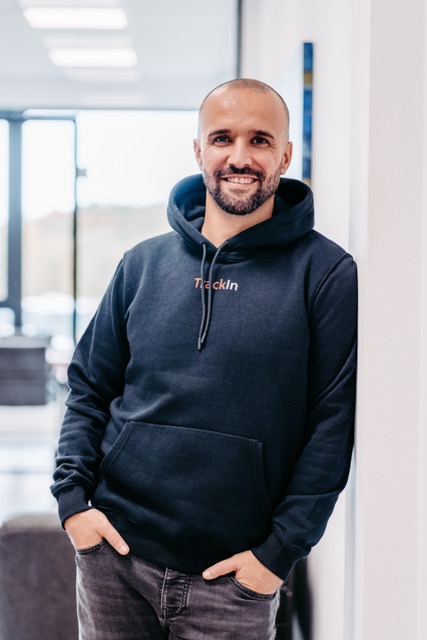
Turan Saat
Web analyst & tracking specialist from Montabaur
I have been building and fixing tracking setups for clients for years — and kept seeing the same thing: a tag stops firing, and nobody notices until the numbers in the report stop making sense weeks later. GTM Monitor grew out of that frustration. If you have a question, you are not writing to a support queue, you are writing to me.
Tools I work with every day
The monitor does not only look at Google Analytics. Every channel running through your tag manager is checked individually: does it fire at all? Does it fire before consent? Does the data go out client-side or through your own server? New: ChatGPT Ads with the OpenAI measurement pixel.
Also checked: Snapchat · Criteo · Awin · Tradedoubler
Detection is based on the actual network requests your site makes — not on what is configured in the container. That is the whole point: a tag can be set up correctly and still send nothing.
The monitor does not just verify that the container loads — it verifies that the right data actually arrives.
The AI analyses what happens technically on your website — not who visits it. What that means in practice:
Transparent packages: a 12-month term paid monthly or annually — or no term at all, cancellable every month. You decide how many domains are monitored and how often they are scanned.
At launch every package is €10 below the regular price — permanently, for as long as your subscription runs. The offer is time-limited and ends once the first places are taken.
Happy to start with a personal conversation
Questions about your setup before you start? We are happy to go through it in a short personal call — how many domains, server-side or not, which scan rhythm suits you. The first 14 days are free and non-binding.
Book a call directly →Plan 01
29€ / monthplus VAT
39 €Launch offer
12-month term · €348 per year
Plan 02
49€ / monthplus VAT
59 €Launch offer
12-month term · €588 per year
Plan 03
79€ / monthplus VAT
89 €Launch offer
12-month term · for server-side setups
More updates coming soon
Start 14-day free trialAll prices are net and exclude statutory VAT. This offer is aimed exclusively at businesses, not at consumers.
No risk to get started
Client voices
What clients say about working together on tracking, analytics and reporting.
Working with Turan is highly competent, friendly and pleasantly relaxed – at no point does it feel like working with an external provider, but rather with a permanent team member. No matter how complex or new our Looker requirements are, they are always implemented perfectly and with a focus on solutions. We especially value the fast response times, which can be relied on 100% even in spontaneous "emergencies".
 Ricarda SpeicherDeutschland Museum & Spionagemuseum
Turan gives competent and reliable advice on analytics and SEA. His suggestions for improving performance have produced very good results so far. We really appreciate the professional and friendly collaboration. Thank you for your great support and the valuable sparring – it will not be the last time!
 Uta RebentrostKlenk & Hoursch
I have rarely worked with someone so pleasant. Turan always finds a solution, and also the time to take care of Analytics, GA4 or Data Studio requirements.
 Chris BeyelerBeyonder
We have been working closely together for some time and we are very satisfied! Thank you for your professional support!
 Nadine WaterhoffW&S Epic
Questions about your setup, or several domains to discuss? Drop us a line — we usually reply within one business day.
Rather book a call right away?
Pick a free slot in my calendar — no strings attached. We look at your setup together and work out which plan fits.
Choose a time →Opens the booking page in Google CalendarPrefer email? turan@track-in.de
What prospects ask us most often before starting.
No. GTM Monitor visits your site from the outside, the way a real visitor does, and records which requests actually go out. No script is embedded, no plugin installed, nothing in your code changes.
No. Setup means: enter your domain, enter your GTM container, pick a scan rhythm. That takes a few minutes and the dashboard guides you. A developer is only needed once a finding gets fixed — and even then the cause is already in the report rather than something to hunt for.
Preview mode shows you your own browser, where consent has long been stored — so you always see the "returning visitor" case. That is precisely why failures that only occur on the very first page load stay structurally invisible there. The monitor checks with a fresh profile every time and catches them. On top of that, preview only runs when you start it; the monitor runs on its own.
Yes. The monitor detects a first-party sGTM endpoint and cleanly separates it from Google-owned endpoints — a distinction that matters for GDPR assessment. It checks whether the server container receives any browser data at all, whether the endpoint is reachable, and whether the server URL is present in the published live version. Deeper server monitoring arrives with Plan 03.
The AI does not invent findings. It receives the actually measured raw data — network requests, parameters, HTTP status codes, dataLayer pushes, console errors — and validates the automatically detected findings against it. Whatever it identifies as a false positive is removed from the report and the score is recalculated. Personal values such as user IDs or click IDs are stripped beforehand and never reach the AI.
Monitoring runs on a server in Germany and the data stays in the EU. What is monitored is your own website — no personal data about your visitors is collected, because the monitor itself is the visitor. A data processing agreement is available on request.
Yes. Pick your package in the pricing section, enter your website and confirm your email address — your 14-day trial starts. No payment details needed. If you have questions first, feel free to use the contact form.
That is up to you. If you have added payment details by then (SEPA direct debit or card), your package continues seamlessly and is billed from then on — with the term you booked: 12 months for monthly or annual payment, none for the cancel-anytime option. If not, your access pauses automatically: nothing is charged, and you can pick up again any time. We remind you by email three days before the end.